Visual Studio Extension
The TinyCLR Project System extension adds TinyCLR device communication, project templates, and the UI Designer to Visual Studio. Get it from the Downloads page, or install it directly from the Visual Studio Marketplace.
UI Designer
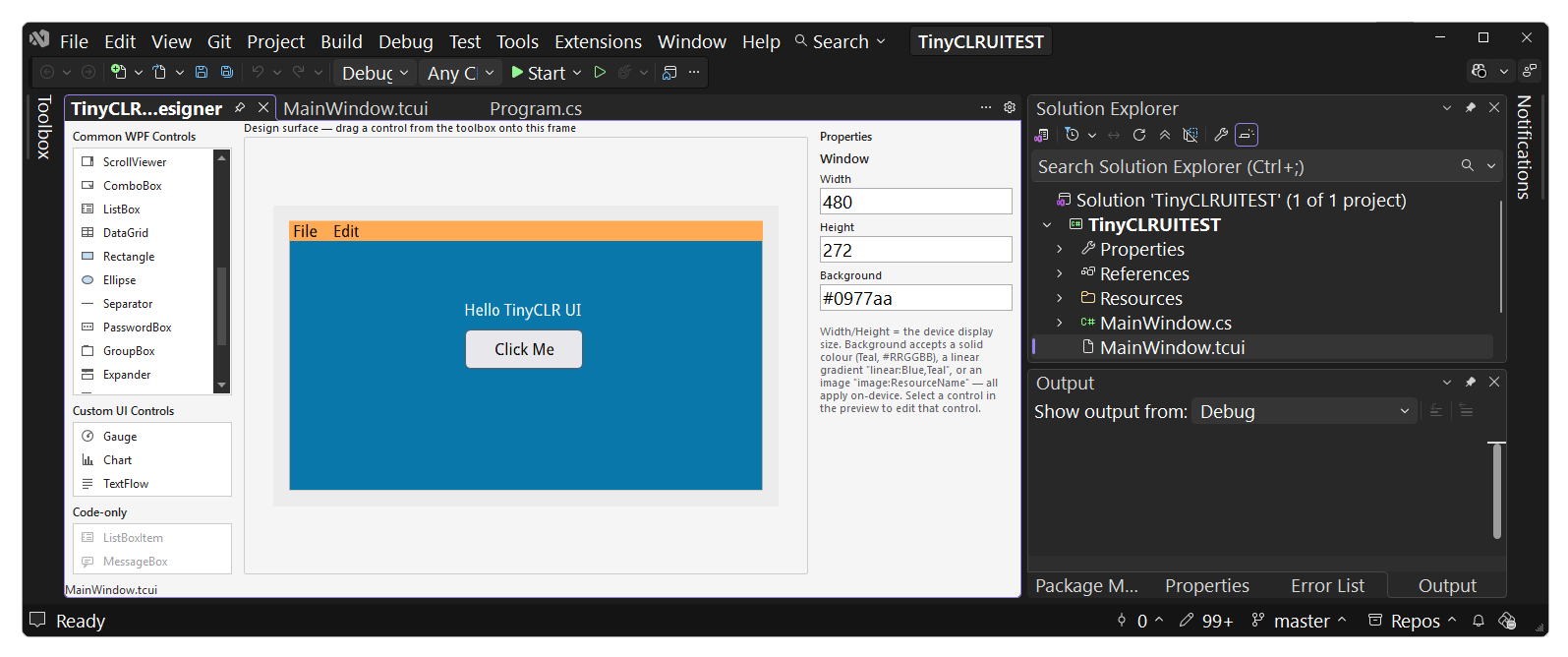
The extension includes a visual UI Designer for the User Interface framework — drag controls from a toolbox onto the canvas, move and resize them, edit properties, and wire up event handlers, all with a live, device-accurate preview. It's Visual Studio-only; there's no VS Code equivalent.
Try it: the Build a Touch UI tutorial walks through designing a two-page touch app in the UI Designer, about 20 minutes.
Updating firmware
When you deploy or debug from Visual Studio, the extension checks the connected device's firmware and, if it's out of date, offers to update it right from the IDE — no need to switch to TinyCLR Config separately.
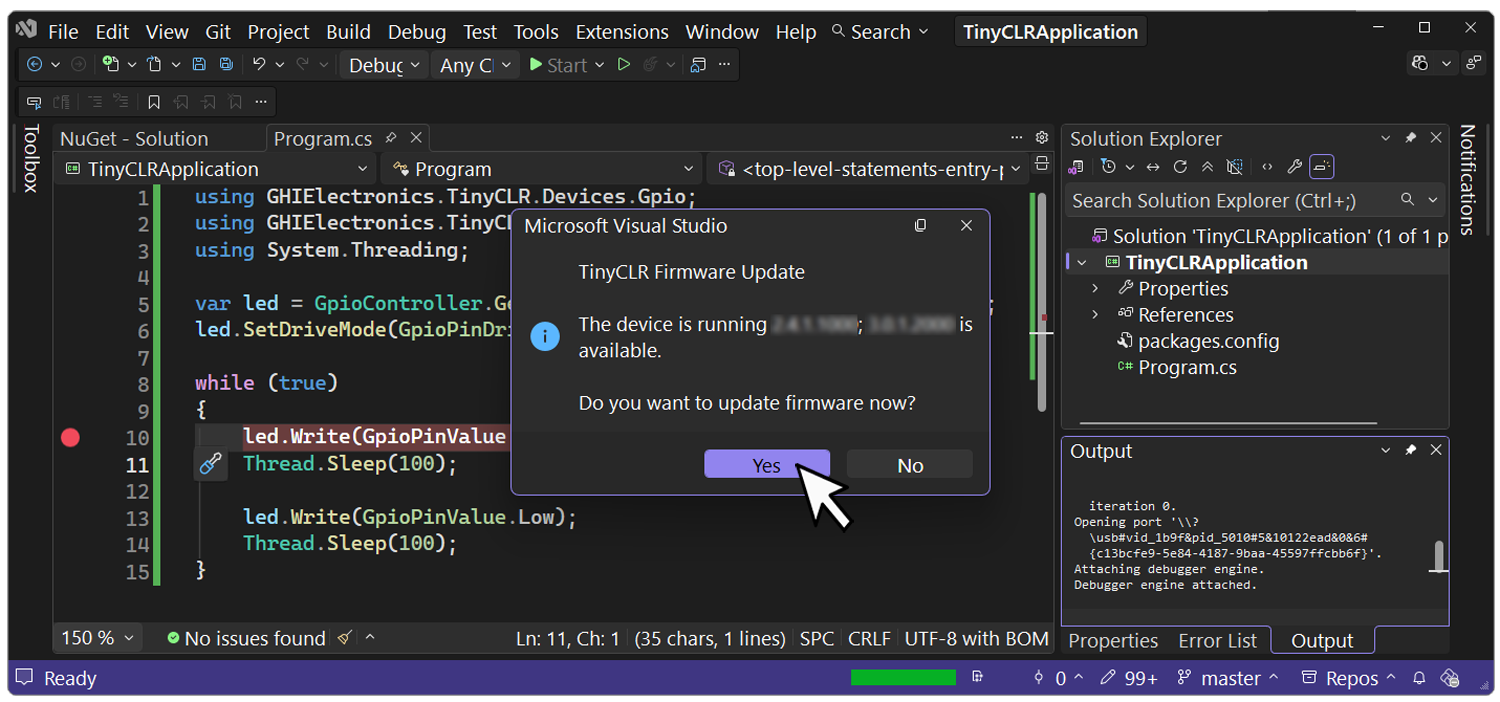
As of 3.0.1.3000, an "Automatically check for firmware updates" option controls whether this check runs automatically, and the update prompts are clearer and shorter than in earlier versions. See the Release Notes for the full history of this feature.
You can also trigger the check manually:
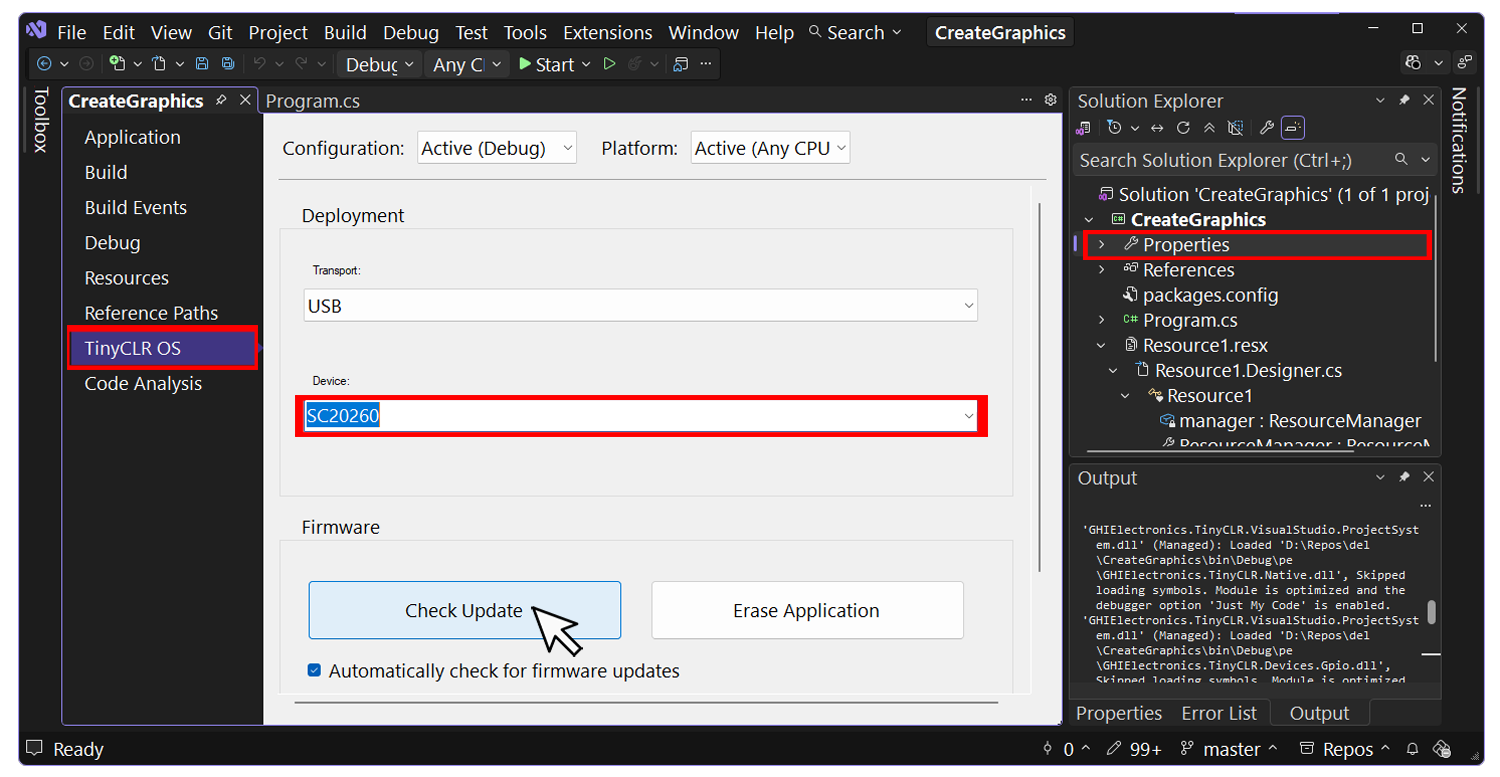
- Right-click the project and open Properties.
- Select the TinyCLR OS tab.
- Pick the connected device from the dropdown.
- Click Check Update. The prompt reports whether the device already has the latest firmware, or gives you a button to update it.
Prefer a one-time manual update, or need to script it? TinyCLR Config can update firmware from its GUI or CLI — see Install or update firmware for the standalone procedure.