Bootloader
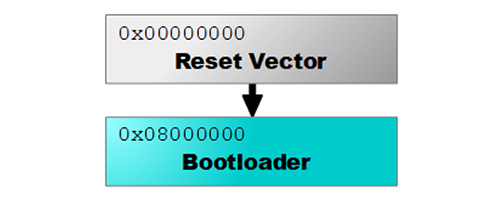
The GHI Electronics Bootloader is the first program that runs on a SITCore device after reset. It initializes the chip, then either hands off to TinyCLR (the default) or stays in bootloader mode for firmware updates — selected by the LDR pin.
The bootloader is hardcoded into the device. It can't be changed and never needs to be updated.
The bootloader communicates over USB (as a virtual serial port) or a regular UART serial port. The MOD pin selects which interface is used — see Special Pins for details.
Updating firmware
For the standard firmware update procedure using TinyCLR Config, see Getting Started → Install or update firmware.
The manual procedure on this page is a backup — use it when TinyCLR Config can't be used (for example, on a non-Windows host or during automated production deployment).
Manual update via XMODEM
- Put the board in bootloader mode — hold the LDR signal low while resetting the board. See each board's pinout for the LDR pin location.
- Open a terminal application — Tera Term is a good choice on Windows.
- Select serial mode and pick the COM port associated with your board. (If unsure, check Device Manager.)
- Press
Vthen Enter. The bootloader returns its version number (v2.x.x). - Press
UorXthen Enter:Xfor a.ghifirmware fileUfor a.glbfirmware file
- Press
Ythen Enter to confirm. You'll seeCCCC...indicating the bootloader is waiting for the firmware. - In Tera Term, go to File → Transfer → XMODEM → Send.
- Important: check the 1K option in the XMODEM dialog.
- Select the firmware file and start the transfer.
- When the transfer completes, reset the board.
Bootloader commands
All commands and results are terminated with CR + LF (\r\n). OK. is sent after each successful command.
On startup, the bootloader sends a banner terminated by OK. Once you receive the banner, send any of the case-insensitive single-character commands below.
Commands that modify the device require confirmation — send Y or y followed by a newline to proceed; anything else cancels.
| Command | Description |
|---|---|
V | Returns the current bootloader version |
N | Returns the current device type |
E | Erases all user sectors of the device |
R | Runs the firmware if present |
B | Increases the baud rate in serial mode to 921,600 |
X | Upload a .ghi firmware file via 1K XMODEM. Only send .ghi files meant for this device. |
U | Upload a .glb firmware file |
USB drivers
USB drivers are only needed for Windows 7 and 8. Windows 10 and 11 use built-in drivers — no install required.
| File | Date | Status | MD5 |
|---|---|---|---|
| v1.0.0 x64 | 2018-12-27 | Production | 74D66FC4236126A83CCCFE28D556F339 |
| v1.0.0 x86 | 2018-12-27 | Production | 8BDE68132452E22B14597C0972ABA8FD |